Added a new setting under Excalidraw Automate to opt-in to excalidraw-onload-scripts.
Added image cache for nested images, including nested Excalidraw drawings and PDF page renders.
When a scene is opened again on the same device, cached images are shown immediately while validation of nested changes continues in the background. This should noticeably improve loading times for scenes you access regularly.
A new setting under plugin settings in Image caching and rendering optimization lets you control cache retention in days, so you can balance disk usage against how long these cached images are kept available.
The cache is local to each device. It is not synced through Obsidian Sync or your vault, so each device builds and maintains its own cache independently.
Placeholder image for empty drawings.
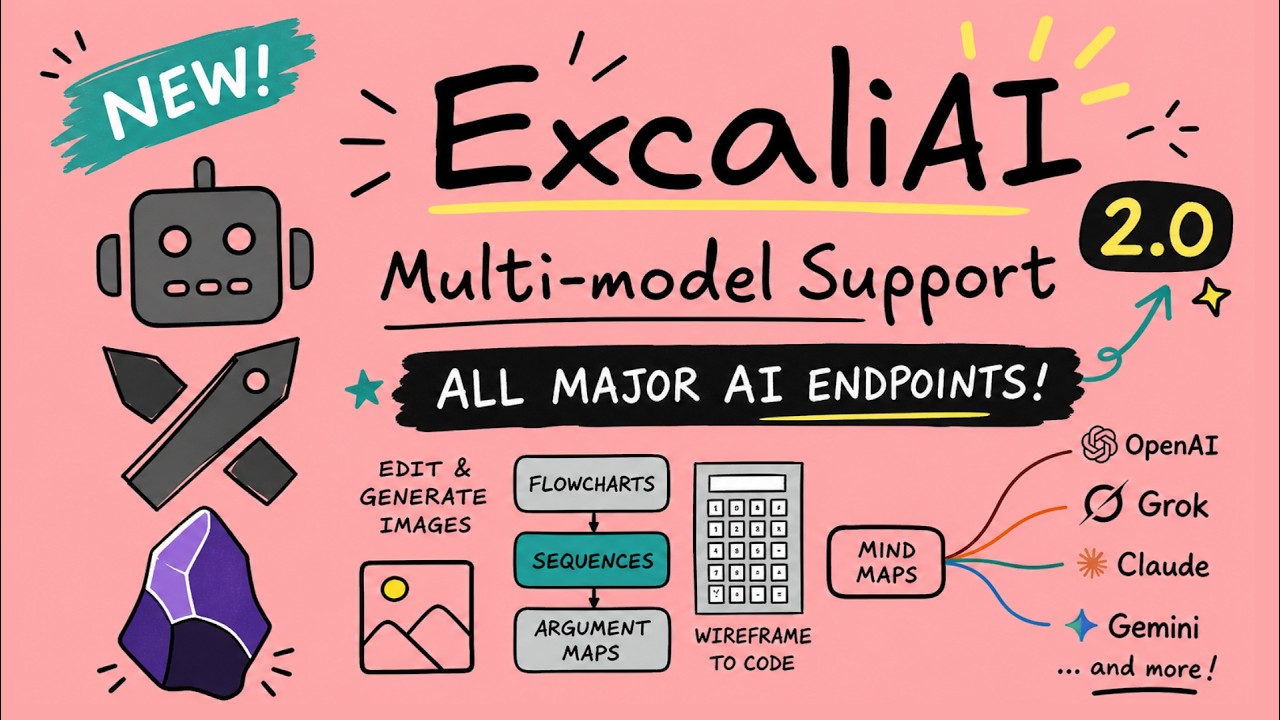
AI support is now provider-aware across the plugin. You can choose between OpenAI, Anthropic/Claude, Google/Gemini, xAI/Grok, or an OpenAI-compatible/local endpoint.
AI settings now use shared provider profiles plus text/multimodal model lists, image model lists, default model selection, token budgets, and an optional verbose developer-console logging toggle for troubleshooting.
The shared AI configuration is now used by ExcalidrawAutomate, Mermaid chat, diagram-to-code, ExcaliAI, and related AI features.
Older OpenAI-specific AI settings are migrated automatically into the new shared AI settings on first run.
New and updated ExcaliAI script.
API key obfuscation for plugin settings. This helps prevent your API keys from leaking via Excalidraw plugin settings in case you open your vault to LLMs.
Fixed Mermaid chat / text-to-diagram and diagram-to-code to use the shared AI layer and honor the configured provider, model, API key, and endpoint settings.
Fixed the ExcaliAI script to work with the new shared AI settings, including provider-aware text and image model selection, prompt transforms vs. mask edits, and OpenAI image responses that return b64_json instead of a hosted URL.
New in ExcalidrawAutomate
Added new provider-aware AI helper functions for scripts while retaining backward compatibility for existing postOpenAI() integrations.
Added getAISettings() to inspect the shared AI settings from scripts.
Added analyzeAIImage(), generateAIImage(), transformAIImage(), and maskEditAIImage() for shared text/image workflows.
Added createAIChatSession() to preserve chat history between calls without manually maintaining the messages array.
Added extractCodeBlocks() to simplify parsing model responses that return fenced code blocks.
Updated addImage() to accept data:image/... data URLs directly, in addition to files, hyperlinks, vault paths, and PDF++ references.
/**
 * Posts an AI request to the currently configured provider and returns the response.
 * @param {AIRequest} request - The AI request configuration.
 * @returns {Promise<RequestUrlResponse>} Promise resolving to the provider-normalized API response.
 */
public async postAI(request: AIRequest): Promise<RequestUrlResponse>;

/**
 * Backwards-compatible alias for `postAI()`.
 * Existing scripts can keep calling `postOpenAI()` while using the shared provider, model, API key, and endpoint settings.
 * @param {AIRequest} request - The AI request configuration.
 * @returns {Promise<RequestUrlResponse>} Promise resolving to the provider-normalized API response.
 */
public async postOpenAI(request: AIRequest): Promise<RequestUrlResponse>;

/**
 * Returns the shared AI settings exposed to scripts.
 * @returns {ExcalidrawAISettings | null} Shared AI settings or null if AI is unavailable.
 */
public getAISettings(): ExcalidrawAISettings | null;

/**
 * Sends an image-aware text request using the shared multimodal routing.
 * @param {AIRequest} request - The AI request configuration.
 * @returns {Promise<GenerateAITextResult>} Promise resolving to normalized text output.
 */
public async analyzeAIImage(request: AIRequest): Promise<GenerateAITextResult>;

/**
 * Generates a new image using the configured image model.
 * @param {AIRequest} request - The AI request configuration.
 * @returns {Promise<GenerateAIImageResult>} Promise resolving to normalized image output.
 */
public async generateAIImage(request: AIRequest): Promise<GenerateAIImageResult>;

/**
 * Applies a prompt-based transform to an input image.
 * @param {AIRequest} request - The AI request configuration.
 * @returns {Promise<GenerateAIImageResult>} Promise resolving to normalized image output.
 */
public async transformAIImage(request: AIRequest): Promise<GenerateAIImageResult>;

/**
 * Applies a mask-based edit to an input image.
 * @param {AIRequest} request - The AI request configuration.
 * @returns {Promise<GenerateAIImageResult>} Promise resolving to normalized image output.
 */
public async maskEditAIImage(request: AIRequest): Promise<GenerateAIImageResult>;

/**
 * Creates a lightweight chat session helper that preserves prior conversation turns between calls.
 * @param {Omit<AIRequest, "messages">} initialRequest - Default request fields applied to every send.
 * @returns {AIChatSession} Chat session helper with `getMessages()`, `reset()`, and `send()`.
 */
public createAIChatSession(initialRequest?: Omit<AIRequest, "messages">): AIChatSession;

/**
 * Extracts code blocks from markdown text.
 * @param {string} markdown - The markdown string to parse.
 * @returns {Array<{ data: string, type: string }>} Array of objects containing code block contents and types.
 */
public extractCodeBlocks(markdown: string): { data: string, type: string }[];

/**
 * Adds an image element to the ExcalidrawAutomate instance.
 * @param {number | AddImageOptions} topXOrOpts - The x-coordinate of the top-left corner or an options object.
 * @param {number} topY - The y-coordinate of the top-left corner.
 * @param {TFile | string} imageFile - The image file, hyperlink, vault path, PDF++ reference, or data URL.
 * @param {boolean} [scale=true] - Whether to scale the image to MAX_IMAGE_SIZE.
 * @param {boolean} [anchor=true] - Whether to anchor the image at 100% size.
 * @returns {Promise<string>} Promise resolving to the ID of the added image element.
 */
async addImage(
  topXOrOpts: number | AddImageOptions,
  topY: number,
  imageFile: TFile | string,
  scale: boolean = true,
  anchor: boolean = true,
): Promise<string>;
This is a minor update to address some of the remaining code scanner findings, including a new ExcalidrawAutomate.printURLsInCodebase() function to list all URLs used in the codebase. All URL calls require explicit user action, either through enabled settings or clearly indicated links. Run the function in the Obsidian Developer Console (CTRL+SHIFT+I / CMD+OPT+I).
2.23.1 and 2.23.2 are essentially the same releases. I’ve triggered a new release because for some reason the GitHub release process built an the plugin with an older version of the code. (still learning the new release process, which I implemented as one of the code quality requirements).
I apologize in advance — there will likely be a few more micro-releases over the coming weeks.
I’m addressing the Obsidian scanner findings gradually, and every code change carries some risk. The safest approach I know is to ship small, incremental updates focused on specific fixes rather than large sweeping changes.
If you notice anything broken or behaving unexpectedly, please let me know. I’ll do my best to investigate and fix it quickly.
Fixed
Excalidraw Script Library icons were not downloading correctly. #2768
Added session-scoped AI usage metering with per-model token/image tracking, a new “Session token usage” settings button with Markdown export, and an “AI Usage: input/output” button in ExcaliAI next to Run for quick access to the same breakdown.
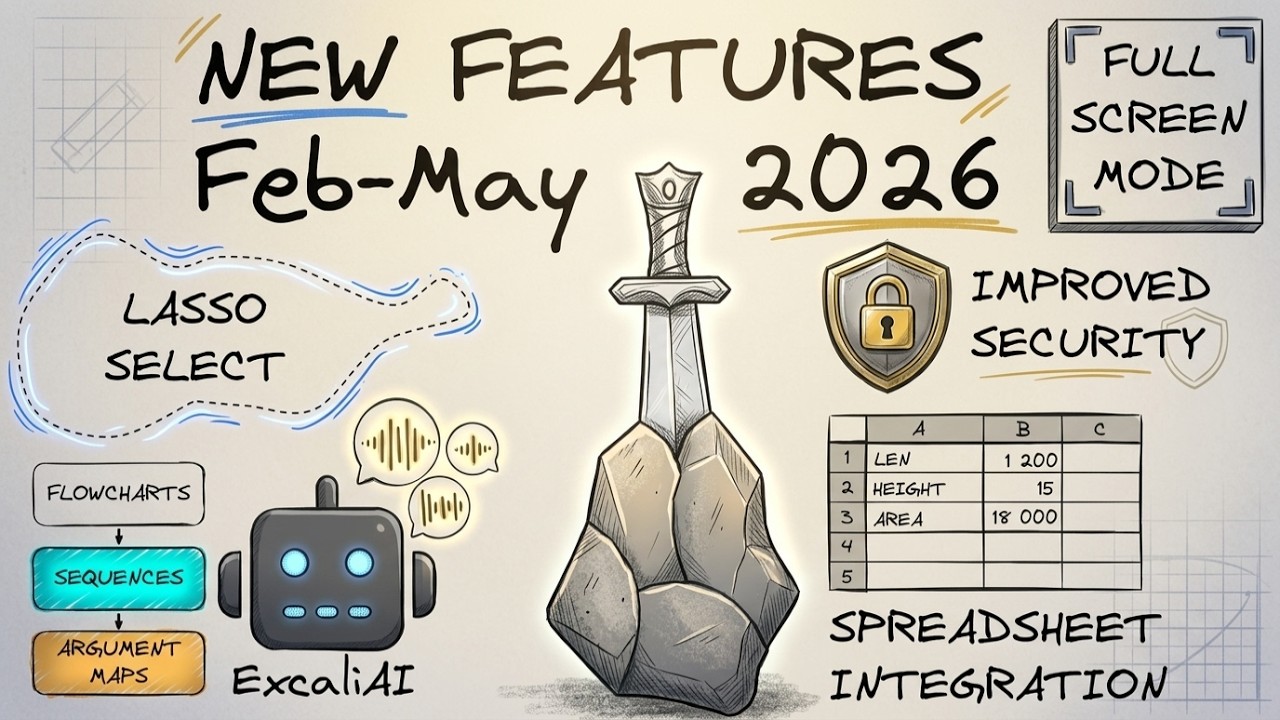
Added an explicit opt-in for executing cmd:// links from drawings. Command links are now blocked by default, with a security warning prompt on first use and a dedicated setting under Excalidraw Automate.
Replaced the dropped-link title resolver from Iframely with an HTTPS oEmbed endpoint.
Hardened data URL embeddables: HTML loaded through data:text/html now renders in a sandboxed iframe with a defensive CSP to keep interactive content contained inside the embeddable.
New option in settings to disable placeholder image.
Fixed
Fixed Taskbone OCR, which broke in 2.23.0.
Fixed inline link suggester in MindMap Builder failing when filenames included the “.” (dot) character. #2772
New in ExcalidrawAutomate
Added getPathForImageFileId(fileId: FileId): string | null — returns the vault path for an image element identified by its Excalidraw fileId. Note: Excalidraw does not maintain a persistent index of fileIds to paths; the path is only available for images that have appeared in an open drawing during the current Obsidian session.
Gemini image models now expose provider-correct size presets in AI settings and ExcaliAI, with Google image requests automatically translating presets into Gemini aspect ratio and image size parameters.
Added three new ExcalidrawAutomate methods for AI token usage.
/**
 * Returns accumulated AI token usage for the current Obsidian session.
 * Usage is keyed by model identifier. Data is not persisted and resets on restart.
 */
public getAIUsage(): AIUsageData;

/**
 * Opens a modal showing per-model AI token usage for the current session.
 * Includes a "Copy as Markdown" button.
 */
public showAIUsageModal(): void;

/**
 * Returns a compact label string: "AI Usage: 355k/23k" (input/output tokens).
 * Appends image generation count when present, e.g. "+ 3 imgs".
 */
public formatAIUsageLabel(): string;

/**
 * Returns the vault path for an image file identified by its Excalidraw fileId.
 * Only available for images seen in an open drawing during the current session.
 * @param {FileId} fileId - The Excalidraw fileId of the image.
 * @returns {string | null} The vault path, or null if not cached in this session.
 */
getPathForImageFileId(fileId: FileId): string | null;
Embeddable links now support adding ontology to links, e.g. (ontology:: [[file#section]]) and (ontology:: [Video Title](link-to-youtube-video)). This allows you to add custom metadata to links that will be picked up as dataview tags and rendered with tools such as ExcaliBrain.
Fixed
Regression from security fixes: embed markdown as image failed in some cases
Plugin settings now includes all available fonts when setting the default font when embedding markdown as image.
New in ExcalidrawAutomate
ea.zoomToElements() now accepts an optional margin parameter to control the amount of whitespace around the zoomed elements. The default margin is 0.05 (5% of the view size), but you can adjust it as needed for your specific use case.
ea.cloneElements() function to clone elements with new IDs and updated relationships, useful for duplicating or moving elements without affecting the originals.
/**
   * Zooms the target view to fit the specified elements.
   * @param {boolean} selectElements - Whether to select the elements after zooming.
   * @param {ExcalidrawElement[]} elements - Array of elements to zoom to.
   * @param {number} [margin=0.05] - The margin around the elements when zooming.
   */
  viewZoomToElements(selectElements: boolean, elements: ExcalidrawElement[], margin: number = 0.05): void;

/**
   * Clones an array of Excalidraw elements or a clipboard string.
   * Ensures that relationships (containers, bound elements, groups, bindings)
   * are correctly remapped to the newly generated IDs.
   *
   * @param {ExcalidrawElement[] | string} elementsOrClipboard - The elements array or Excalidraw clipboard string.
   * @returns {ExcalidrawElement[]} An array of cloned elements with new IDs and updated relationships.
   */
  cloneElements(elementsOrClipboard: ExcalidrawElement[] | string): ExcalidrawElement[];
Fixed in ExcalidrawAutomate
ea.addImage() now supports adding the markdown section of an Excalidraw file as an image.
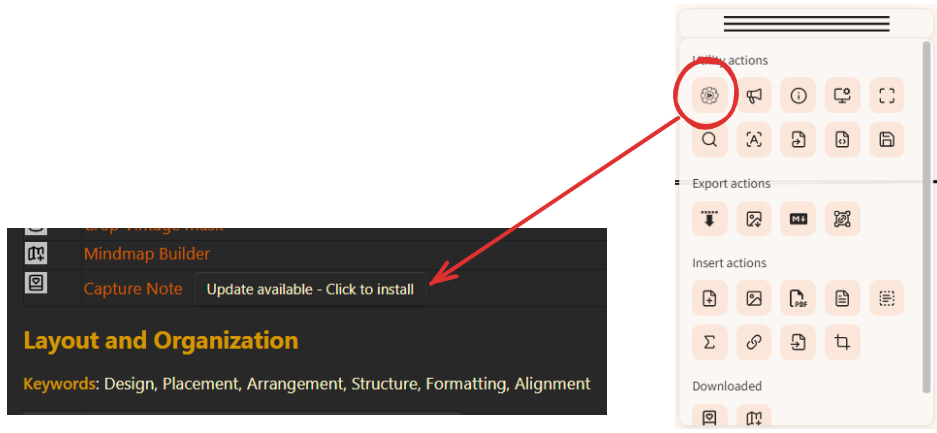
FYI - I got a message I needed to update Excalidraw scripts. I didn’t find such a place to update only scripts. So I checked for plugin updates, and found this update available. I installed it and Excalidraw broke. I couldn’t open any drawings, The option wasn’t there. There were no Excalidraw commands in Command Palette. There was no Excalidraw button on the ribbon.
I disabled and reenabled the Excalidraw plug in. Everything restored. I’m all good, no problems. Trying to consider what may have happened, the only thing I can think is I violated my normal update workflow, and this time installed the updates to my phone first. Perhaps when syncing with the PC (I use Syncthing) there was some sort of collision.
Clearly, I need to document this better, or maybe rather improve the whole process (this has not changed significantly in the past 3-4 years, since I first implemented this feature). Updating scripts is a bit manual right now. You need to open the script library, scroll down to see which scripts need to be updated, and press the update button next to each impacted script.
Normally scripts do not change frequently, except when they are new, in that case I release updates more frequently.
Got it! I think a simple note at the top of the “List of available scripts” or “Editor’s picks” would have been good enough for me. But now I’ve got it.
Excalidraw now updates nested image embeds in the scene triggered by Obsidian window/tab changes even if those changes affect deep nested images (i.e. Excalidraw images nested inside the nested drawings)
Iwan will demonstrate the script and host a Q&A session for Sketch Your Mind Community Members on Friday, 12 June.
Fixed
Clicking Excalidraw links now correctly jumps to the targeted element, group, or frame when the destination is another Excalidraw drawing, including links chosen through the multi-link picker and links triggered from nested embeds.
In some cases the image cache did not update when nested drawings were modified
Horizontal and Vertical arrow lines are not always displayed correctly when exporting to SVG or embedding SVG to a markdown note #1454
Updated vulnerable package dependency lodash-es and nanoid based on Obsidian code scanner findings.
I’m just getting started with Excalidraw and ExcaliAI, but I’m already pretty impressed!
OpenRouter as provider would be a joker, because it provides the models of all big companies like anthropic, open, google, meta, deepseek, …
Currently the image generation does not work, because OpenRouter has a different API for generating images:
```
POST https://openrouter.ai/api/v1/chat/completions
{
“model”: “openai/gpt-5-image-mini”,
“messages”: [
{“role”: “user”, “content”: “Generate a beautiful sunset over mountains”}
],
“modalities”: [“image”]
}
```
The generated image is in `choices[0].message.images[0].image_url.url` as Base64 data
Answered by perplexity.
The Text and multimodal model works with this base URL in the provider setting
h_t_t_p_s://openrouter.ai/api/v1
Underscores just to avoid expansion of the url
Compatibility with all the options out there is likely going to be mission impossible. One idea that crossed my mind is to offer configuring user defined functions as part of the custom model definition that would offer a way to shape the outgoing message and process the incoming response. I will think about this a little to see if there is a reasonably simple solution.
in case you would consider switching providers: I got the image generation working with models (currently the GPTs but more to come) provided by Ultimate AI / Obsidian AI Tools: How to Use Obsidian AI Tools -
For other tasks that involve text generation, you can access Claude, Gemini & co, too.
I am also happy to receive a PR on the ExcaliAI script. Feel free to raise a PR on GitHub. However, please ask the ai agent helping you with the update to properly segregate and add comments to the new functions so it is clear from the code what is being added and why.
I checked out the product page, and $7/month sounds really cheap, but I can’t find any information about rate limits or usage limits. Claude is pretty expensive, so there must be limits. Have you been using it for a while?
I’ve had an active subscription for about a year now and use it regularly – mostly for chatting and without huge amounts of context, though. So far, I have not experienced any limitations. You should be able to access their documentation: https://docs.ultimateai.org/
There you will find that the most popular coding environments (Claude Code, Gemini CLI, Codex) are supported. My naive assumption is that they would not actively support / promote this while limiting your usage after a handful of prompts.
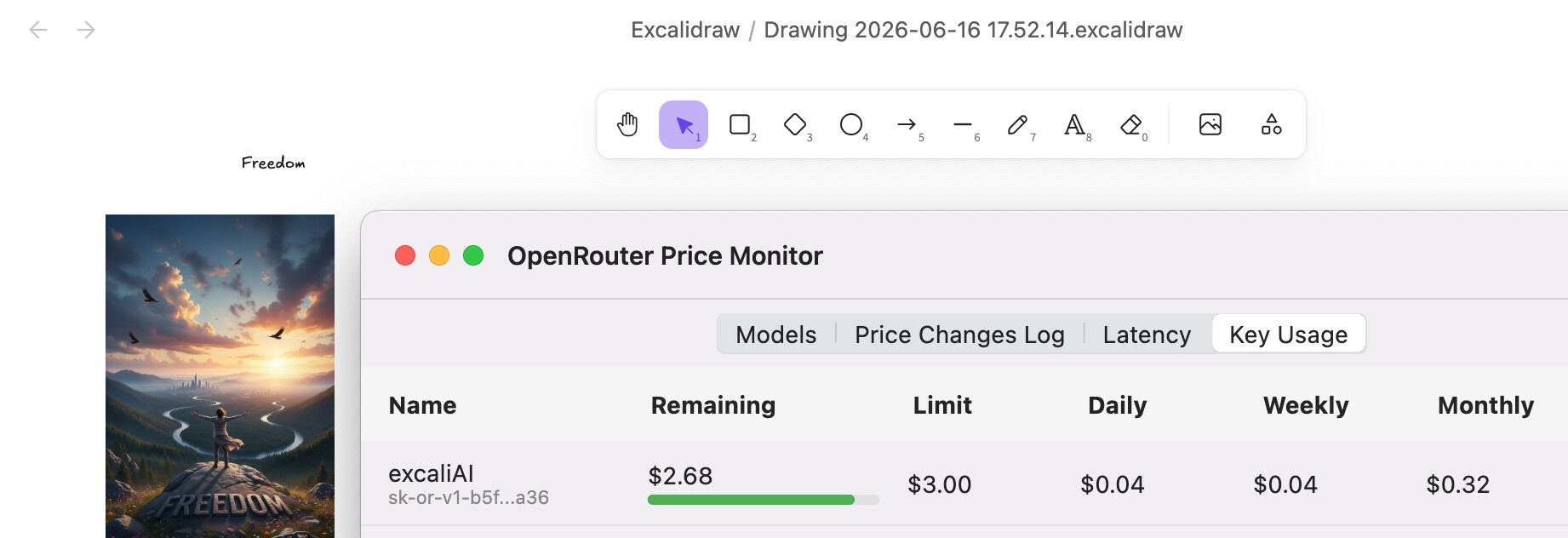
I - or better OpenCode and DeepSeek V4 Pro - could refine the ExcaliAI-Script to receive images from OpenRouter. The price for each image is 4 $cents. I will test a bit more, SVG is not yet working and it seems to work only with google/gemini-2.5-flash-image.