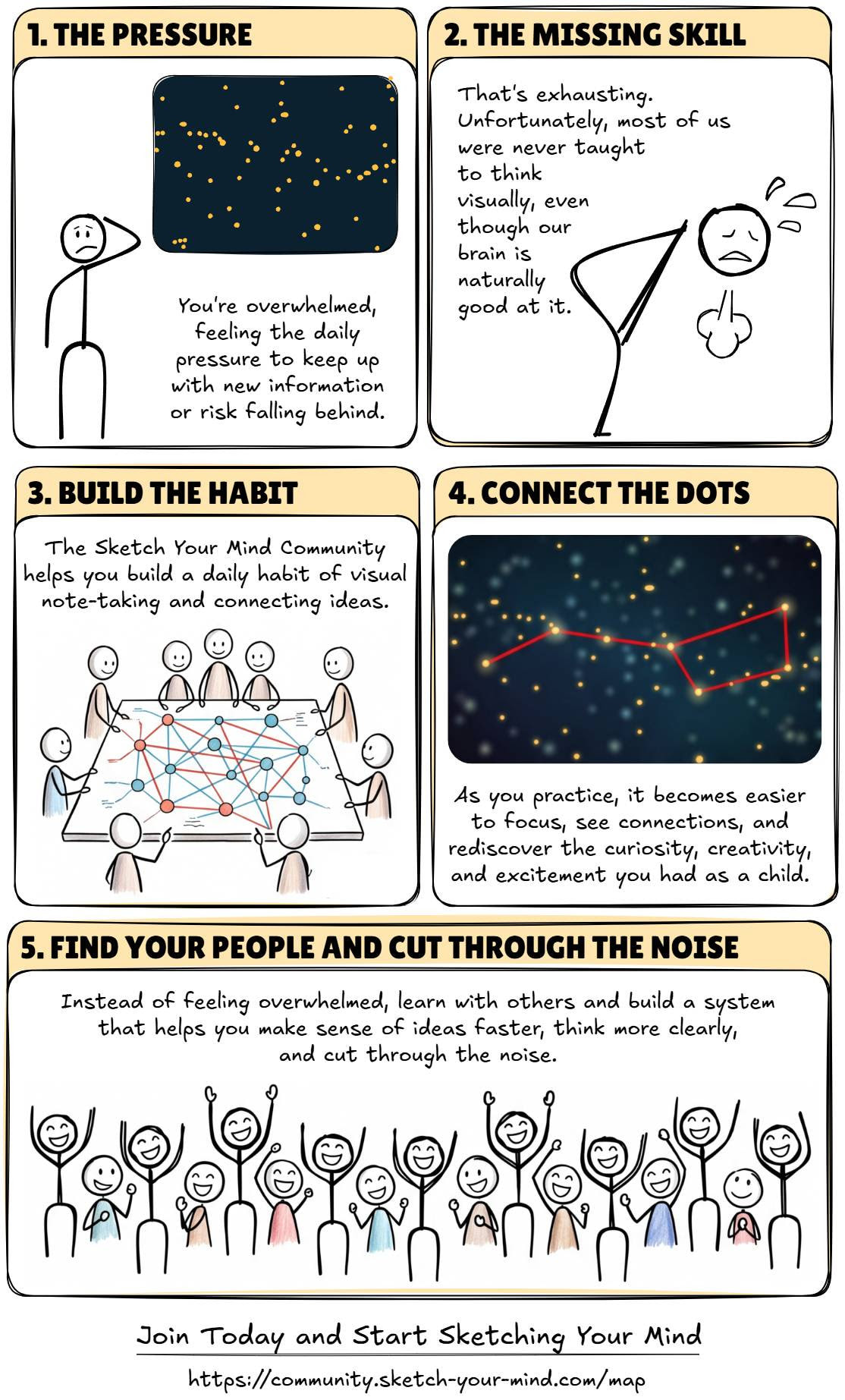
I feel confident building tools, but I don’t naturally think of myself as a good communicator.

Because my tools are often “Swiss Army knives” capable of doing many things, my messaging tends to become complicated and overwhelming. It’s a gap in my skills that I’m constantly working on.


Recently, I listened to a podcast by Donald Miller, the author of StoryBrand. His ideas inspired me to stop overcomplicating things and develop a much simpler message for the Sketch Your Mind Community.
What followed was a messy, highly iterative journey using every tool at my disposal: AI, Excalidraw, community feedback, and ultimately, my wife’s honest critiques.
I want to share this process because it might inspire you to work on your own poster — and because it shows how these tools don’t just “do the work for us.” They provide the coaching and support needed to develop our skills and become more confident, productive thinkers.
The 12-Step Journey to Clarity
1. The Voice Chat Draft
While driving to work one morning, I used voice chat to ask ChatGPT to impersonate Donald Miller based on a YouTube video I included in the prompt. After 30 minutes of debating the issue with ChatGPT, I got this:
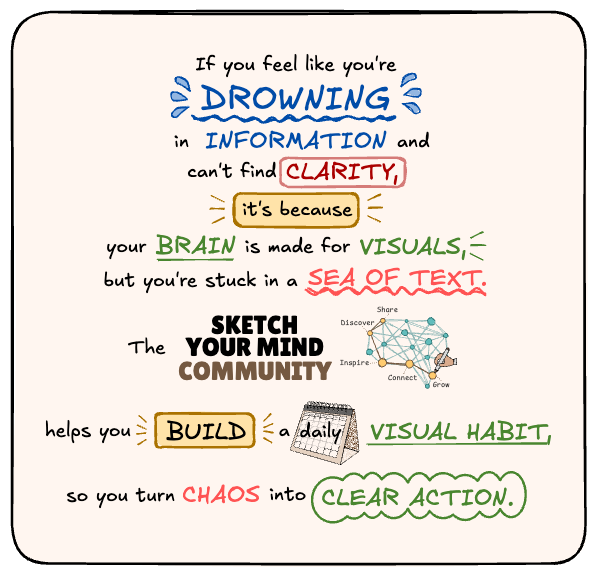
“If you feel like you’re drowning in information and can’t find clarity, it’s because your brain is made for visuals, but you’re stuck in a sea of text. The Sketch Your Mind community helps you build a daily visual habit, so you turn chaos into clear action.”
2. The Word Art Experiment
That evening, I played around with the text in Excalidraw and created this word art.
3. The Reality Check
I posted it on my blog to see if it resonated and to gather feedback.
The verdict was clear: the formatting made the text hard to consume. It looked fun, but it wasn’t functional.
Back to the drawing board.
4. The 5-Step Framework
I went back to Miller’s podcast. When talking about a product, he recommends covering five things in sequence: Problem, Empathy, Answer, Change, and Result.
He also stresses that less is more. Pick one problem and stick to it. (For a Swiss Army knife guy, this is painful.)
After many iterations, I finally landed on a clean five-step sequence:
- The Pressure,
- The Missing Skill,
- Build the Habit,
- Connect the Dots, and
- Find Your People.
5. The Illustration Coach
Now I needed a visual that didn’t make people work hard to understand the flow.
I have a custom pretrained Gemini model trained on lectures from illustrators I admire. I fed it my new text, and it generated a few concepts. One idea stood out:
“A massive cloud of random, scattered dots… representing endless information.”
That sparked the idea of constellations in the night sky.
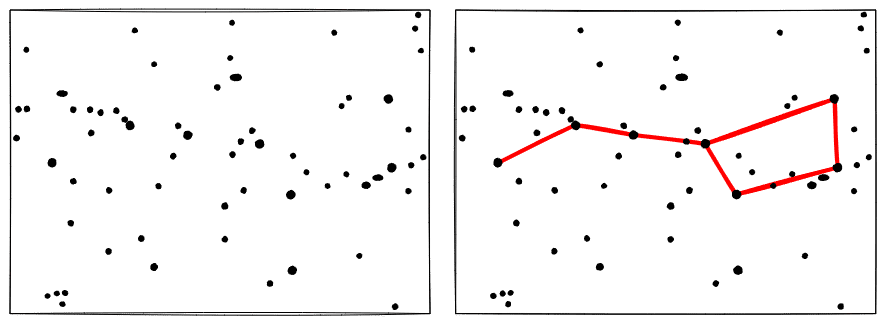
6. Connecting the Stars
I found a constellation map online, brought it into Excalidraw, and created my own version of the night sky. (Source:: https://svabhegyicsillagvizsgalo.hu

7. The Layout Struggle
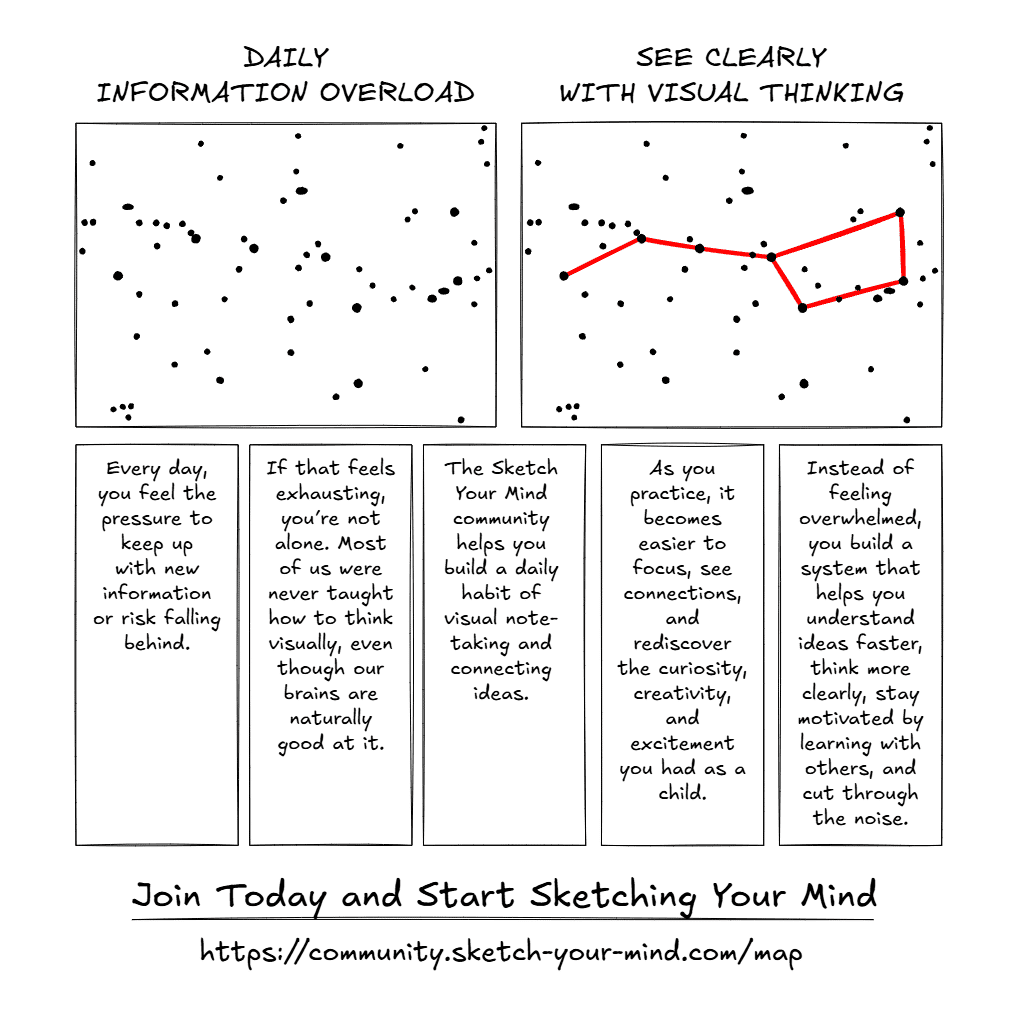
My challenge now was figuring out how to tell a story with these stars.
I tried different arrangements, but none of them felt right, especially when I showed them to my wife on my phone. (You’ll find additional versions in the Excalidraw scene linked above.)
8. The Ultimate Critic (My Wife)
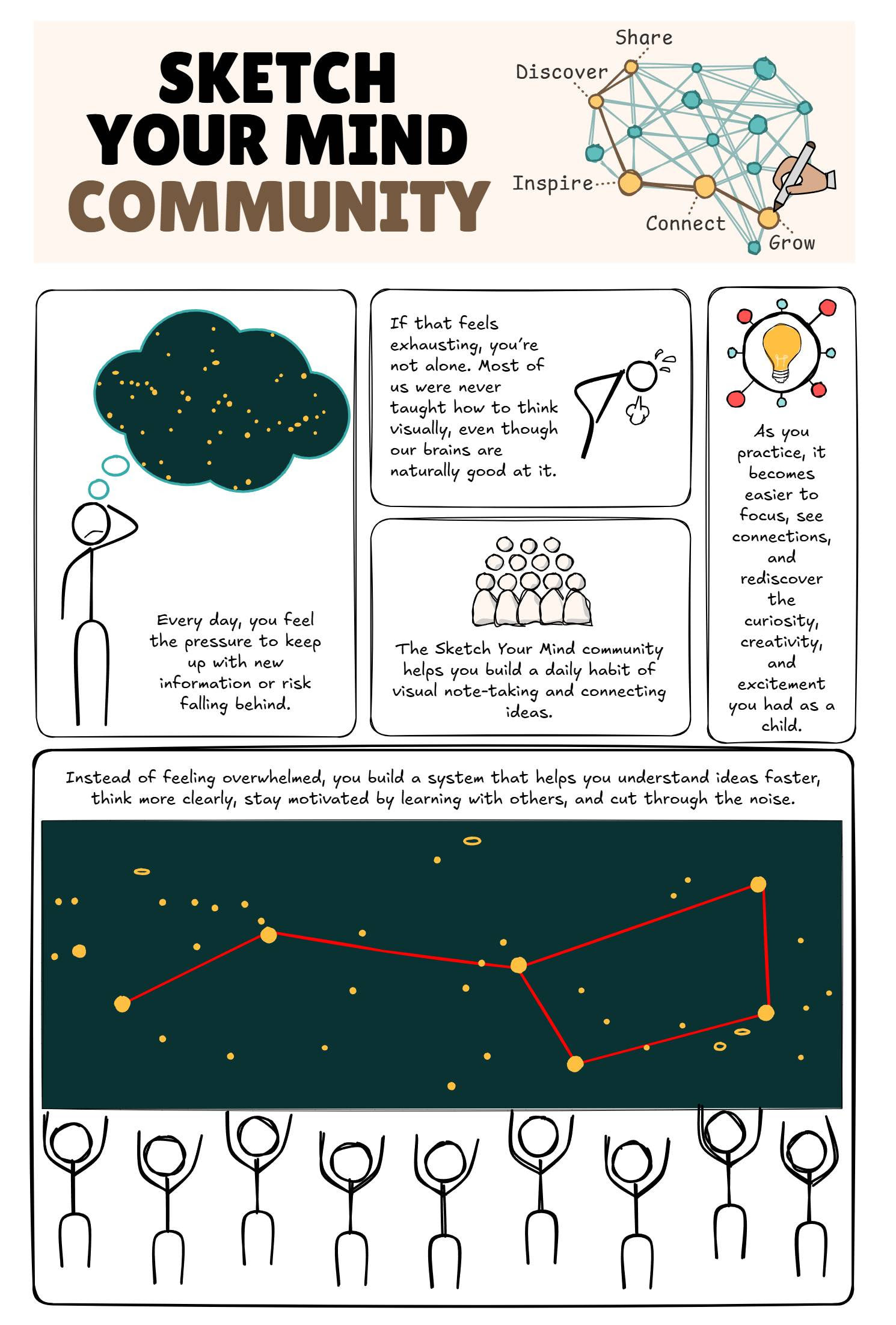
I showed the latest version to my wife. She immediately pointed out that the night sky should actually be dark — and that the community itself needed to appear in the illustration.
Based on her feedback, I came up with a comic book–style layout.
9. The AI Image Editor
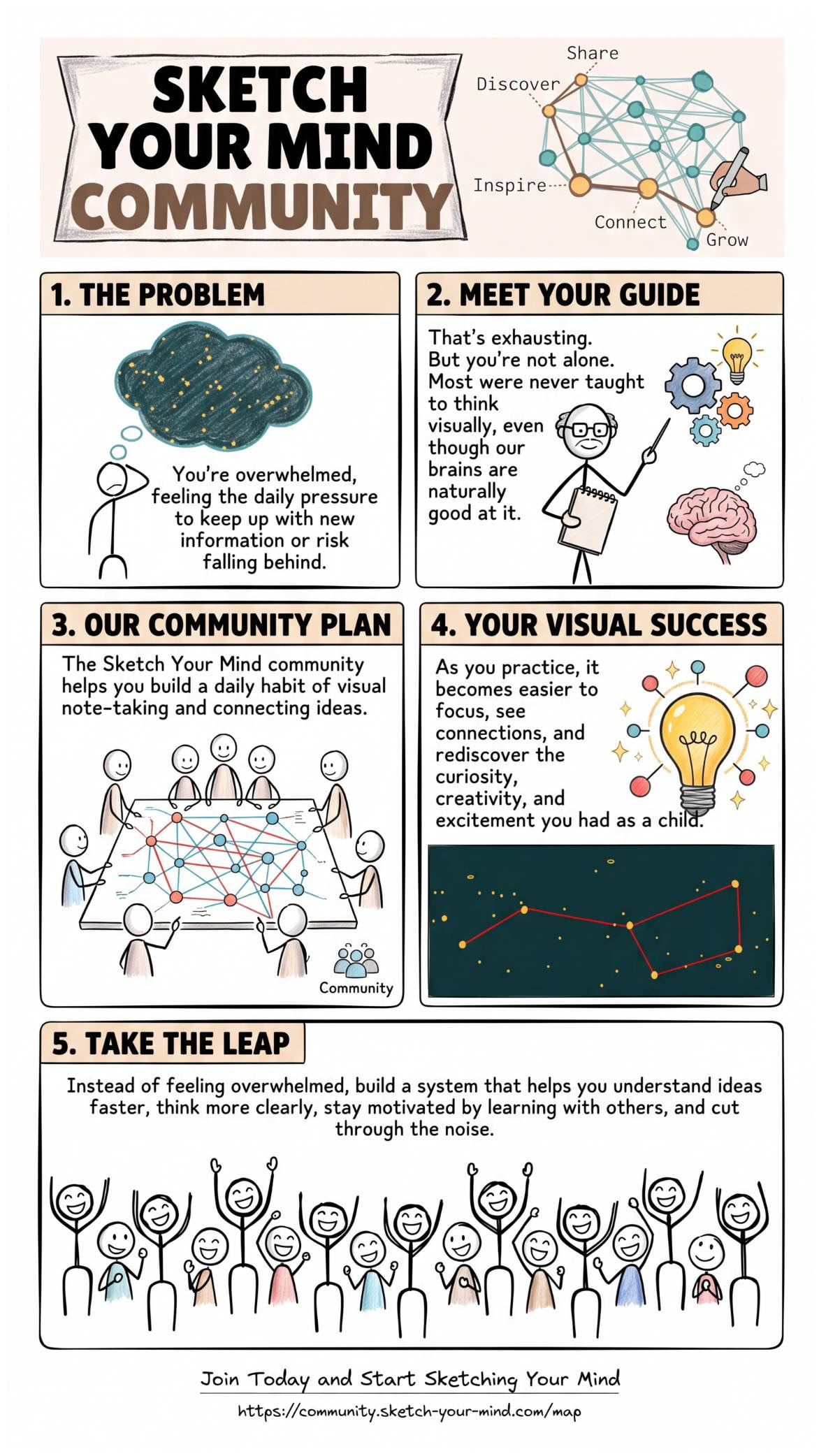
I recently updated ExcaliAI. Using the new ExcaliAI I prompted the Gemini 3.1 Pro Image model to improve my 1-pager while retaining the hand-drawn style.
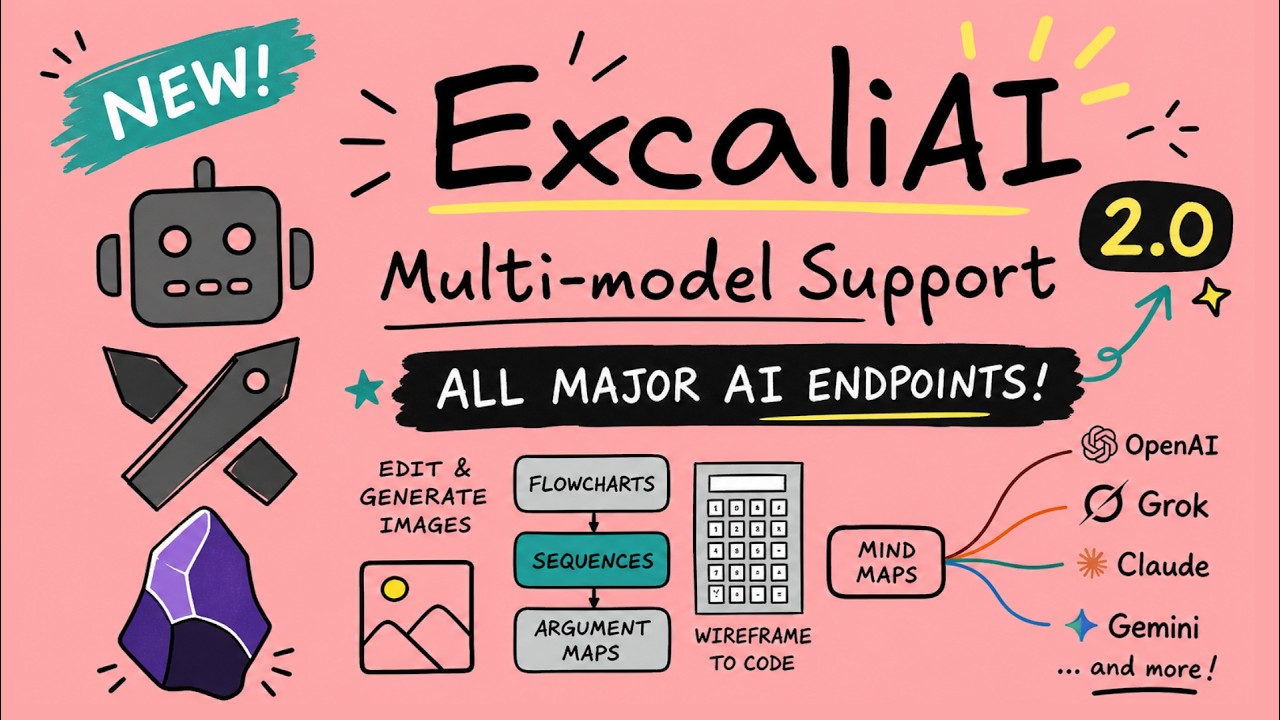
The result was surprisingly good. Gone are the days when AI-generated text was complete gibberish.
10. Stealing the Best Ideas
Overall, I was happy with Gemini’s version, though my wife (rightfully) argued there were too many unrelated small illustrations.
But Gemini added headings — something I didn’t have.
I took that idea, went back to ChatGPT to refine the headings, and cropped the parts of the AI image I actually liked.
11. The Final Polish
Using the refined headings and the improved sky concept, I finalized my own drawing in Excalidraw.
12. The Challenger
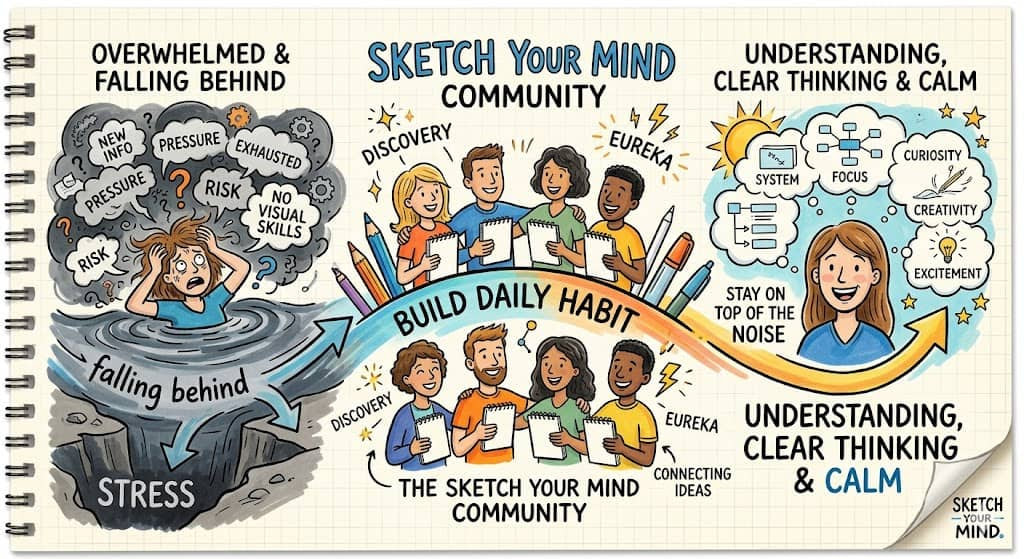
After all this trial and error, I fed the original prompt into another illustration coach I created a few months ago in Gemini.
It did not function as expected. Instead of just giving feedback, guiding me through the process, it generated a completely new minimalist layout that challenges me still to remove two-thirds of the words from the version I had assumed was already final.
I Need Your Feedback!
What started as a messy brain dump turned into a collaborative ping-pong match between ChatGPT, Excalidraw, AI image models, my custom illustration coaches, the Sketch Your Mind community, and my wife.
I still have plenty of gaps in my communication skills, but this hybrid workflow gave me the support I needed to push through the messy middle and arrive at something much clearer.
And honestly, I think that’s the bigger lesson here.
These tools don’t replace thinking. They help us stay in the thinking process longer. They help us iterate, reflect, test ideas, and keep going when we’d normally get stuck or give up.
Now I’d love your feedback:
Which visual version do you like best?
Hit reply and let me know.
