v26.06.09
New
-
The MindMap Builder floating input is now hidden when ExcaliBrain is active. FYI: @Kai
-
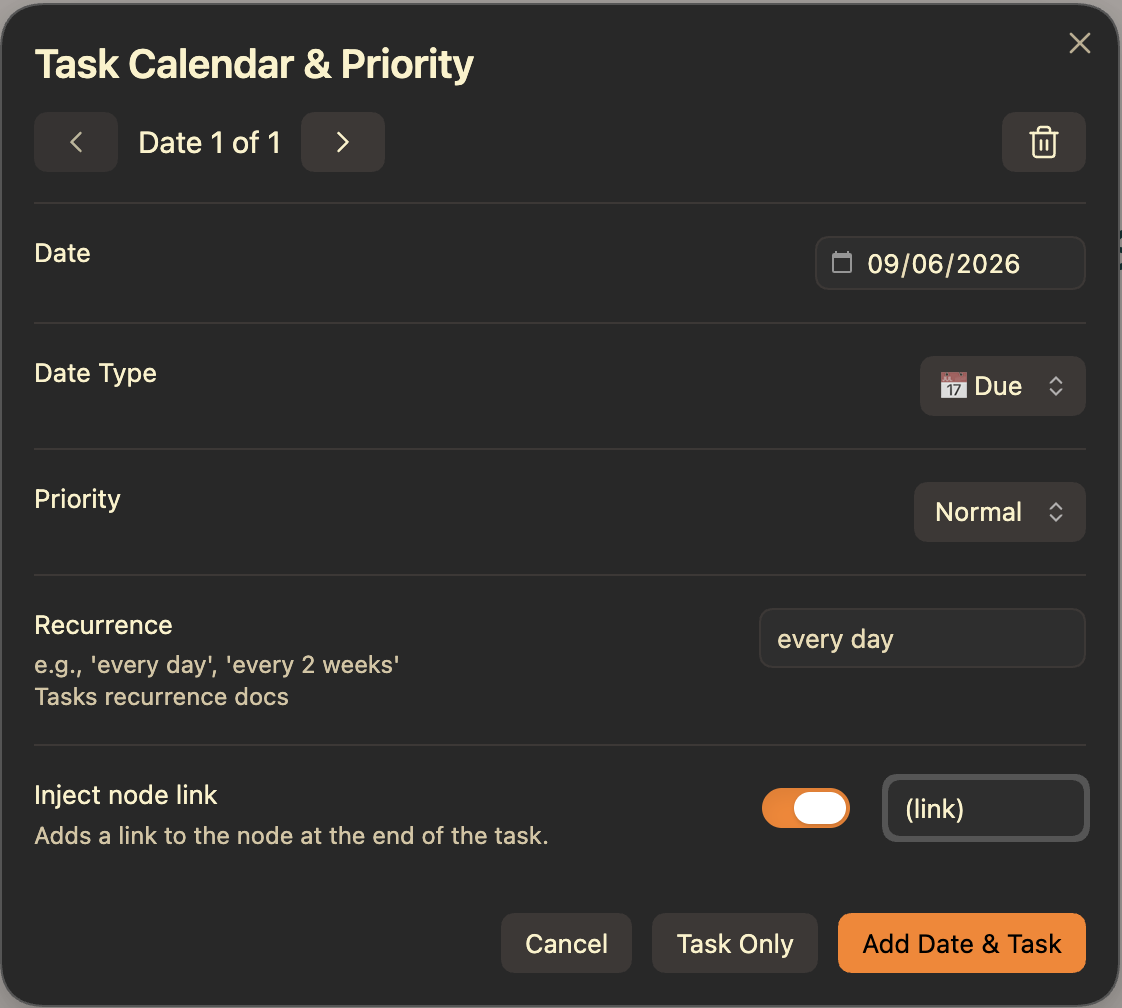
Added an option in the Configure Task Date & Priority window to add a self-link to a task. This allows you to open the task directly from a
Tasks pluginquery. FYI: @rditmore- One caveat: if the
Taskstask list is open in a Markdown document and you click the link, the Excalidraw file will open in Markdown view mode. If you click the link in an Excalidraw markdown embeddable, then it will open in Excalidraw. - If you click the link while holding
CMD/CTRL, the drawing will open in a new tab, and Excalidraw will focus on the linked mind map node. - If child nodes are grouped with the task, they are included in the link scope. This means you can create a quick action note, add the link, attach supporting child nodes in MindMap Builder, and later access that full context either by
CMD/CTRLhovering the link in the task list or by opening the Excalidraw scene directly.
- One caveat: if the
-
Added a new drag handle to the right side of the floating input, making it easier to reposition.
- Double-clicking or double-tapping the drag handle resets the floating input position to the top-left corner of the active view.
- Double-clicking or double-tapping the drag handle resets the floating input position to the top-left corner of the active view.