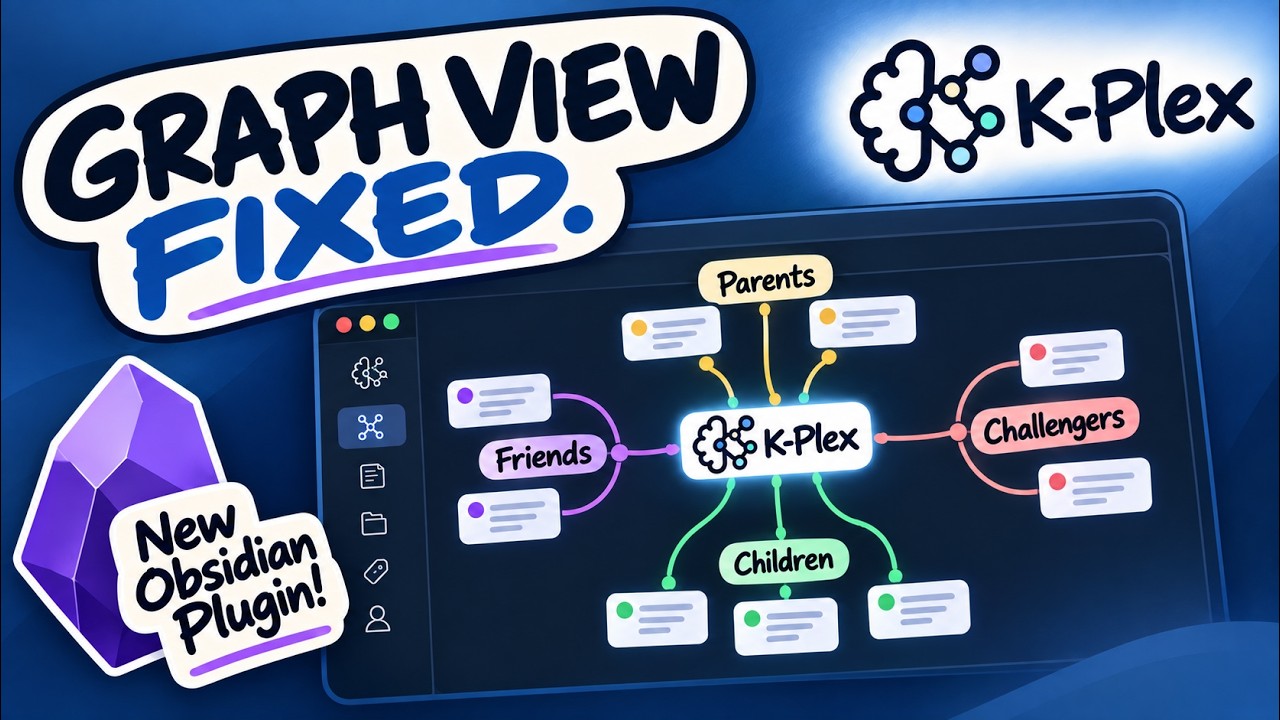
To learn about K-Plex, read my blog article. In a single sentence, ExcaliBrain was always just a Proof of Concept, only it was too successful that I never had the urge to build the final solution. K-Plex is that final solution.
Note: first time indexing is slow. However once index is ready, it is cached and next time startup is blazzing fast.
K-Plex 0.0.4
This release is a major performance, stability, and workflow update to K-Plex.
There are more things in here than I can list. I have probably missed a number of new features. Explore, enjoy, and let me know what you think.
The focus has been on making K-Plex practical for large real-world vaults, improving mobile/iPad reliability, simplifying relationship editing, and making the Plex behave more like a responsive spatial workspace rather than a graph that constantly redraws itself.
Much faster startup and large-vault indexing
K-Plex now uses a substantially redesigned indexing architecture.
- The persistent graph cache is stored in IndexedDB.
- Startup restores a small usable neighborhood first so the Plex can appear before the complete graph has finished hydrating.
- The remainder of the cached graph and relationship evidence loads progressively in the background.
- Cached snapshots are generation-based and published transactionally, so an interrupted write does not replace the previous complete snapshot.
- Parsed Markdown metadata is cached per file, modification time, and parser version.
- Resolved neighbor maps are cached as well, avoiding unnecessary relationship recomputation on warm startup.
- IndexedDB maintenance is kept away from the interactive editing path where possible.
- Interrupted cold indexing can reuse already persisted body records instead of restarting from file zero.
This work also resolves the major iPad stability problem encountered with large vaults during initial indexing.
On iOS, K-Plex uses more conservative batching, frequent cooperative yields, bounded in-memory caches, and a low-memory body-cache warmup before constructing the complete graph.
Incremental indexing while you work
Editing one note no longer means rebuilding the entire K-Plex index.
K-Plex now:
- reparses only changed Markdown files;
- removes and rebuilds only relationship evidence associated with those files;
- resolves only affected relationship pairs;
- patches only affected search-index entries;
- queues body-cache persistence behind the interactive graph update;
- coalesces frequent metadata/autosave events;
- avoids unnecessary graph updates when a file’s K-Plex-relevant semantics did not change.
This is especially important for .excalidraw.md files and other large Markdown files.
The body parser now scans fenced regions without splitting megabyte-scale Excalidraw JSON payloads into thousands of temporary strings. Large drawing-data changes therefore have much less indexing overhead when the graph-relevant Markdown content has not changed.
Stable graph updates
Graph refreshes caused by Obsidian Sync, metadata-cache updates, autosave, or background indexing no longer automatically recenter the Plex.
The user’s current camera and scroll position are preserved.
New nodes are added to the existing scene and surrounding nodes may move where necessary to make room, but the workspace itself stays where the user left it.
Improved animation
Navigation now uses positional scene animation rather than simply fading between layouts.
- Nodes present in both scenes visibly move to their new positions.
- Newly appearing nodes enter with motion from the appropriate relationship direction.
- The new central node transitions slightly faster than the surrounding scene.
- Animation speed is configurable from 0/off through 2×.
- Reduced-motion settings are respected.
Section folding is treated separately and does not trigger graph recentering.
Expand Markdown notes into sections
The central Markdown note can now be expanded into its heading hierarchy.
Sections are runtime-only and are not added to the persistent vault index.
The section view includes:
- nested heading hierarchy;
- compact document-outline styling;
- dedicated orthogonal tree connectors separate from semantic relationship connectors;
- folding and unfolding of individual branches;
- recursive Fold all / Unfold all actions;
- projection of hidden descendant relationships to the nearest visible folded section;
- preservation of the original section in relationship provenance;
- direct opening of a heading in the source Markdown note.
Markdown central nodes now also display a small fold/unfold square directly on the node, so sections can be opened without using the context menu.
Non-Markdown central nodes do not display this control.
Relationship creation redesigned
Adding a Parent, Child, Friend, or Challenger now uses one compact relationship dialog.
The same dialog is available from gates and from dedicated Command Palette actions, making it possible to assign hotkeys to:
- Add child
- Add parent
- Add friend
- Add challenger
The dialog includes:
- fuzzy note search;
- fuzzy ontology search;
- result lists that remain closed until typing starts;
- result lists that float outside the modal when viewport space allows;
- highlighted matching text fragments;
- Markdown as the default new-note type;
- optional Excalidraw creation when Excalidraw is installed;
- filename validation before creation;
- duplicate-name checking;
- Ctrl/Cmd+Enter for the current primary action.
Selecting an existing note does not immediately close the dialog. The user can still change the ontology field and then press Link.
When typing a new filename, Markdown and Excalidraw creation buttons remain disabled until the name is valid and unused.
Escape now behaves naturally with fuzzy results:
- first Escape closes the open suggestion list while preserving the typed value;
- a second Escape closes the modal.
New files follow Obsidian’s configured New note location, including locations relative to the current central note.
Remembered ontology choices
The ontology selector defaults to the normal ontology for the requested relationship:
- Parent
- Child
- Friend
- Challenger
If the user chooses another ontology field, K-Plex remembers that choice as the default for the next relationship of that type.
Typing a previously unknown ontology field automatically adds it to the relevant K-Plex ontology configuration.
Relationship provenance and explanation
K-Plex retains the evidence that caused a relationship to exist.
Explain relationship can show evidence originating from:
- YAML/frontmatter ontology;
- body ontology;
- ordinary Obsidian links;
- folder and tag structure;
- URLs;
- dates and Daily Notes;
- section-level Markdown content.
K-Plex intentionally gives frontmatter ontology precedence over conflicting body ontology from the same declaring note/target pair.
Conflicting body evidence is not discarded. It remains visible in Explain relationship as overridden evidence.
For Markdown-backed evidence, the explanation dialog now includes Navigate actions. These open a native Markdown tab and jump to the relevant property or link location using ephemeral editor state.
This also works for .excalidraw.md files by opening their Markdown source when provenance navigation is requested.
Unlink relationships
Connector context menus now include Unlink connection.
If a relationship is caused by exactly one editable frontmatter ontology declaration, K-Plex removes that declaration directly.
If the relationship has multiple sources, comes from body text, or is otherwise ambiguous, K-Plex opens Explain relationship instead of guessing which source the user intended to remove.
Better relationship editing
Dragging an existing related node to another relationship area continues to support reclassification, but the update path is now incremental.
K-Plex uses relationship provenance to prefer editing the source that already defines the relationship.
The UI applies the move optimistically while Obsidian writes and reindexes the affected note, avoiding the previous jump-back / full-rebuild behavior.
New-note flair
When a newly created or newly linked note appears in the Plex, it receives a short visual highlight so the user can immediately find it.
If the note appears inside a scrollable relationship zone, K-Plex scrolls that zone to the new node first.
If an active zone filter prevents the new node from being visible, the filter control is highlighted instead.
Rename notes from K-Plex
File-backed nodes now provide Rename note… in their context menu.
Renaming uses Obsidian’s native FileManager.renameFile() API so Obsidian handles link updates and normal vault bookkeeping.
Companion sidecar improvements
The companion sidecar remains a real native Obsidian tab/pane adjacent to K-Plex.
It can be positioned:
- left;
- right;
- above;
- below.
New Sidecar settings allow Markdown documents to default to either Reading view or Edit mode.
Closing K-Plex no longer closes the companion document.
K-Plex can also be folded away while a sidecar is open. The K-Plex tab group is hidden and a small unfold control remains on the document edge, allowing the document to temporarily use the available split space.
Moving or detaching the companion document preserves normal Obsidian behavior.
Simplified note-tab synchronization
Synchronization uses three understandable states:
- not linked to a note tab;
- linked to the most recent note tab;
- pinned to one fixed note tab.
There are also explicit one-shot actions:
- Sync most recent note tab with K-Plex
- Sync K-Plex with most recent note tab
The interface uses Obsidian-oriented terms such as note and tab instead of Workspace API terminology.
Mobile and touch improvements
K-Plex now has explicit touch interaction instead of relying on desktop mouse behavior translated by the browser.
Improvements include:
- one-finger panning;
- two-finger pinch zoom;
- pinch starting over thoughts and connectors;
- touch-safe relationship dragging;
- direct touch navigation;
- long-press node and connector context menus;
- protection against Obsidian workspace-edge gestures stealing Plex interactions;
- mobile-aware rendering reductions during active pinch gestures.
Phone, tablet, desktop, normal-tab, pop-out, and sidepanel layouts can maintain their own density and column profiles.
Layout and density improvements
Relationship regions now have independent height constraints and scroll independently when required.
K-Plex supports:
- separate parent, child, friend/challenger, and sibling height limits;
- up to 300 nodes per region;
- zone-level filtering;
- global Plex filtering;
- configurable parent/child columns;
- density up to 4.0;
- smaller sibling nodes and descendants;
- straight or curved connectors.
Friend and Challenger areas are symmetrical and sparse lateral lists remain close to the central working area.
Search, bookmarks, and navigation
Search supports fuzzy title, alias, and path matching with exact/prefix matches ranked more strongly.
Empty search prioritizes:
- Obsidian Bookmarks / legacy Starred;
- K-Plex pins;
- the normal node list.
Past-node navigation history and persistent pins remain separate.
Settings cleanup
Settings are now organized as:
- Graph
- Ontology
- Appearance
- Sidecar
- Compatibility
Compatibility is intentionally last.
The three project/resource links at the top of Settings share one row whenever enough horizontal space is available.
ExcaliBrain compatibility
K-Plex remains compatible with the classic ExcaliBrain ontology and a substantial portion of its settings model while using its own React renderer and indexing architecture.
K-Plex and classic ExcaliBrain can coexist because K-Plex uses its own plugin ID.
Compatible ExcaliBrain settings can be imported automatically on first use or manually from the Compatibility settings page.