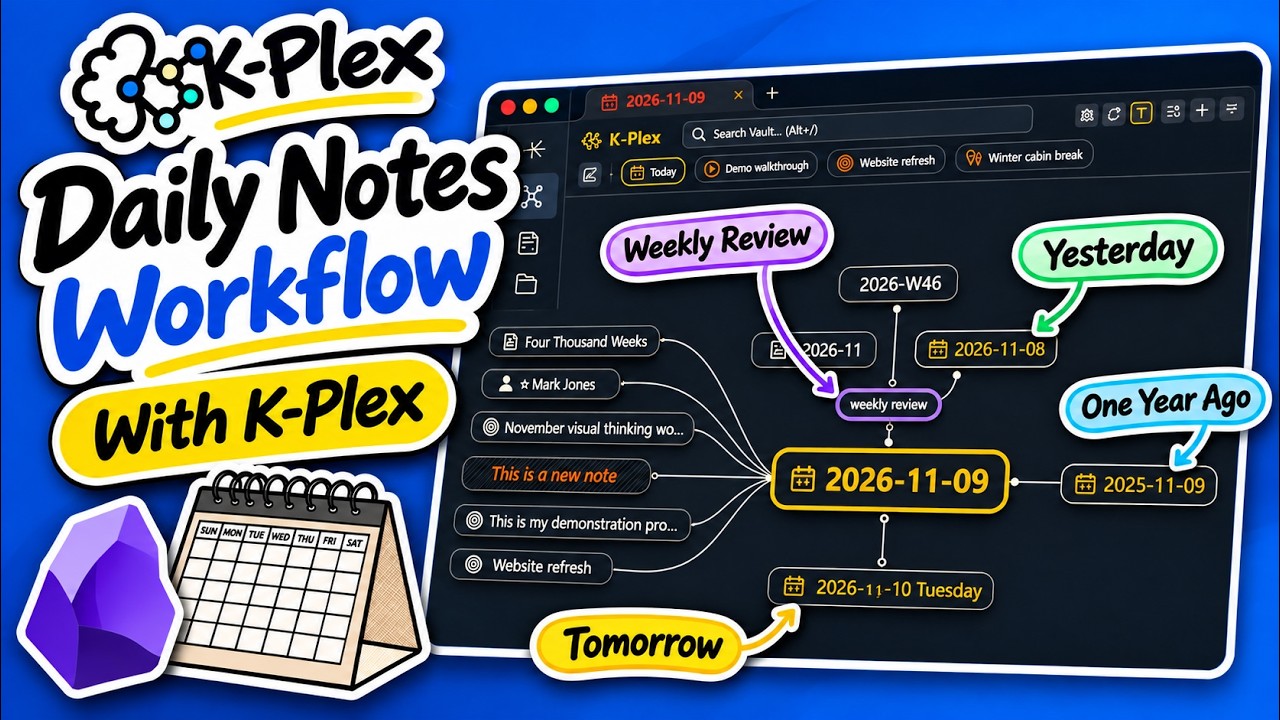
This release brings new Daily Notes workflows, easier navigation through your journal, cleaner pinned-node controls, and significant improvements to indexing reliability and responsiveness.
 Daily Notes & Journal Navigation
- Daily Notes calendar: A new calendar button in the pins bar lets you jump directly to any day. Dates with existing notes are marked with dots. Select a missing date to create its daily note using your configured Obsidian Daily Notes settings and template.
- Connect across missing days: Daily note context menus now offer Connect to previous daily note and Connect to next daily note. K-Plex finds the nearest existing daily note, even when dates are missing or notes are stored in nested folders. Review the proposed connection and choose its ontology before saving.
- Create daily notes from placeholders: When an unresolved node matches your configured Daily Notes naming convention, K-Plex offers a Daily note creation option, respecting your configured folder and template.
- Improved template handling: K-Plex now waits for Templater to finish processing newly created notes before updating relationships or opening the result. This also improves reliability when creating Excalidraw drawings from templates.
 Cleaner Pinned Nodes
- Compact pins bar: Pins now appear without permanent reorder handles and remove buttons. Click the pencil icon to enter edit mode when you want to rearrange or remove pins.
- Drag to scroll: Scroll the pins bar horizontally by dragging directly on a pin with your mouse. The scrollbar is hidden for a cleaner interface.
- Safe reordering: Dragging a pin’s body scrolls the list, while dragging its dedicated handle in edit mode reorders it. Touch scrolling and keyboard controls remain supported.
- Optional calendar button: Show or hide the Daily Notes calendar under Canvas behavior → Pins.
 Indexing Performance & Reliability
Several improvements reduce unnecessary work and keep K-Plex responsive, especially in larger vaults.
- More reliable warm starts: K-Plex better reuses previously saved index data when reopening Obsidian, avoiding unnecessary source validation and rebuilding when nothing has changed.
- Faster foreground navigation: Opening and navigating notes remains more responsive while background indexing and recovery continue.
- Improved index catch-up: Fixed an issue where already processed files could repeatedly re-enter indexing queues, causing excessive background work.
- More stable canvases: Ordinary Markdown edits no longer cause unnecessary changes to the displayed relationships or node positions during index updates.
- More targeted updates: Changes to Date property types and Daily Notes settings are handled more precisely, reducing unnecessary processing of unrelated notes.
- Improved cache persistence: Initial reconciled index data is saved more promptly, while subsequent edits continue to use controlled background saving.
- Clearer indexing status: Status indicators better distinguish active indexing, pending cache saves, and completed work.
 Navigation, Settings & Usability Fixes
- Canvas position restoration: Fixed unexpected canvas shifts when returning to a note after resizing a pane or opening and closing Sidecar. Zoom and manual pan offsets are preserved.
- Settings controls: Fixed numeric sliders, including cross-link opacity, occasionally becoming unresponsive in Obsidian Settings.
- Node style settings: Style counts now refresh correctly after changes. Added clearer guidance for Semantic colors and directional background tint.
- Ontology Manager: Reduced disruptive refreshes during background indexing, better preserving unchanged rows, selections, and focus.
- Deleted-note navigation: When a deleted note is still referenced by other notes, K-Plex can follow its unresolved placeholder while preserving the remaining relationship evidence.
- More accurate relationship counts: Available cached or locally computed counts are displayed instead of outdated unknown values during index recovery.
 Improved Diagnostics & Bug Reporting
- Unified diagnostics: Copy Index Diagnostics and Report Bug now use the same underlying diagnostic data, making troubleshooting more consistent.
- Indexing history: Compact diagnostic summaries from previous plugin sessions are retained locally to help investigate recurring or intermittent issues.
- Better build identification: Local development builds can now be distinguished by their build timestamp and source revision, making bug reports from test builds easier to interpret.
- Privacy-conscious reports: Diagnostic history excludes note contents, filenames, paths, and raw errors. Reports are never submitted automatically.
Changes Included
- #285 — Scroll pins by dragging without a scrollbar
- #288 — Fix repeated index catch-up and foreground view delays
- #289 — Add calendar navigation, journal gap links, and compact pins
- #293 — Fix index restart stability, unify diagnostics and complete daily-note creation
- #294 — Fix canvas camera restoration and native Settings controls
Minimum Obsidian version: 1.13.0