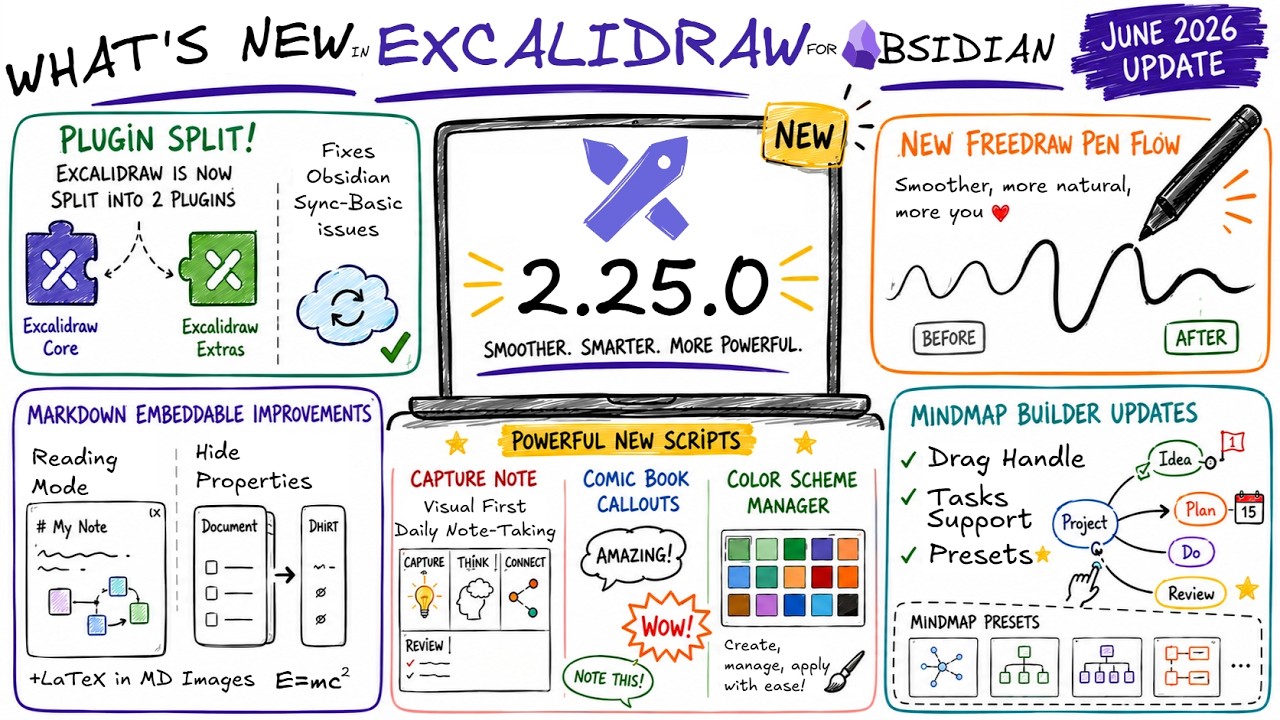
Significantly improved ink flow for freedraw pen. You can now toggle between pressure sensitive and constant mode for the default excalidraw.com freedraw pen. #11507, #11551
New in the Plugin
Added the ability to show or hide document properties for embedded full Markdown files. This feature was requested by @Rolf during a Sketch Your Mind community monthly call discussion. Join the community!
Comic book Callout Editor script available in the Script Library
Added new ExtraBold line width option, and XS font option
Fixed
BUG: Double Click to edit from Obsidian in Live preview doesn’t work anymore #2813
Edge cases leading to memory leak and CPU overload when closing a markdown preview while embedded Excalidraw drawings are loading, or closing an ExcalidrawView, while nested images are still loading.
Fixed the “Customize the Embedded File Link” action. If you change the dimensions of the markdown image or the pdf page reference number, the image immediately updates in the scene. You can also use this feature to swap out images e.g. a png icon to an SVG icon. Default shortcut is CTRL+WIN+Click or CMD+Control+Click on the image element.
LaTeX and Mermaid did not work on iOS. Released updated Excalidraw Extras and bumped the minimum required version to 0.0.15. #2825
Malformed “Source” URL in ExcalidrawLib and Excalidraw Data json. #2826
New in ExcalidrawAutomate
Added onSceneChangeHook to allow scripts and sidepanel tabs to react to scene changes. The hook supports filtering by appStateKeys and checking for tab visibility to optimize performance.
/**
 * If set, this callback is triggered when the scene changes in the target view.
 * You can use this to react to appState or element changes.
 * Any script can sign up for updates via this hook.
 * Because this hook fires extremely frequently (on every mouse move during drawing),
 * you MUST specify which appState keys you are interested in OR set trackElements to true.
 * If trackElements is falsy and appStateKeys is empty or undefined, the callback will NOT be triggered to prevent performance issues.
 * For sidepanel tabs, there is an additional filter feature: if triggerWhenInvisible is false,
 * the callback will only trigger when the sidepanel is visible and the tab is active.
 */
onSceneChangeHook: {
  appStateKeys?: (keyof AppState)[];
  trackElements?: boolean;
  triggerWhenInvisible?: boolean;
  callback: (
    elements: readonly ExcalidrawElement[],
    appState: AppState,
    files: BinaryFiles,
    view: ExcalidrawView,
    ea: ExcalidrawAutomate,
  ) => void;
} | null = null;
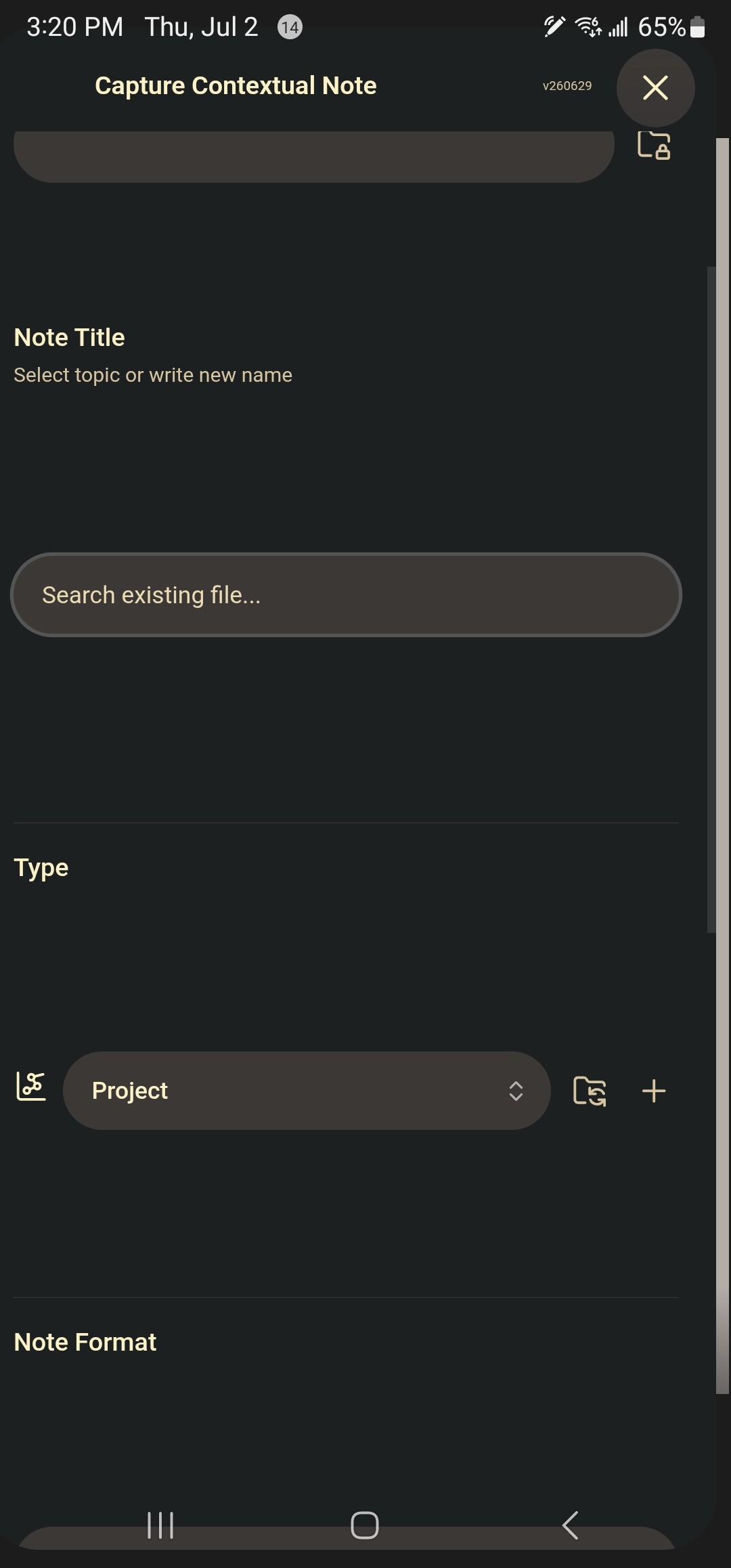
When using capture note on an android phone, the form that opens is too large as to prevent filling it out or getting to the blue “Capture Note” button (the form is stuck and won’t scroll to show other parts). I noticed this on the last two releases, but I believe it worked fine before that.
Root cause: this form uses the Obsidian settings components. The styling of those includes these huge margins. I released an updated script that addresses this issue, as well as moves the script to the side panel. I think that is more convenient especially on a mobile device. You can install the updated script from the script library.
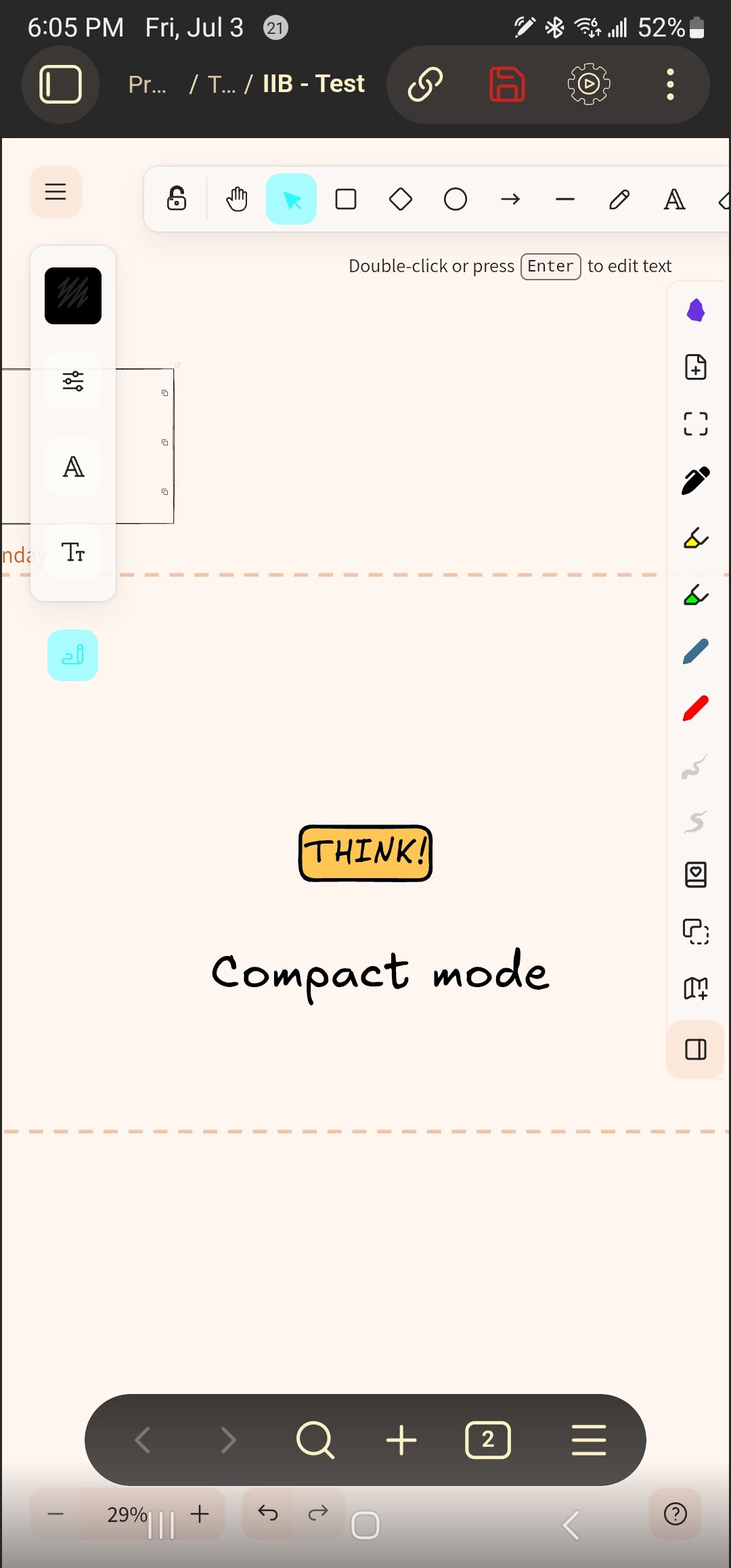
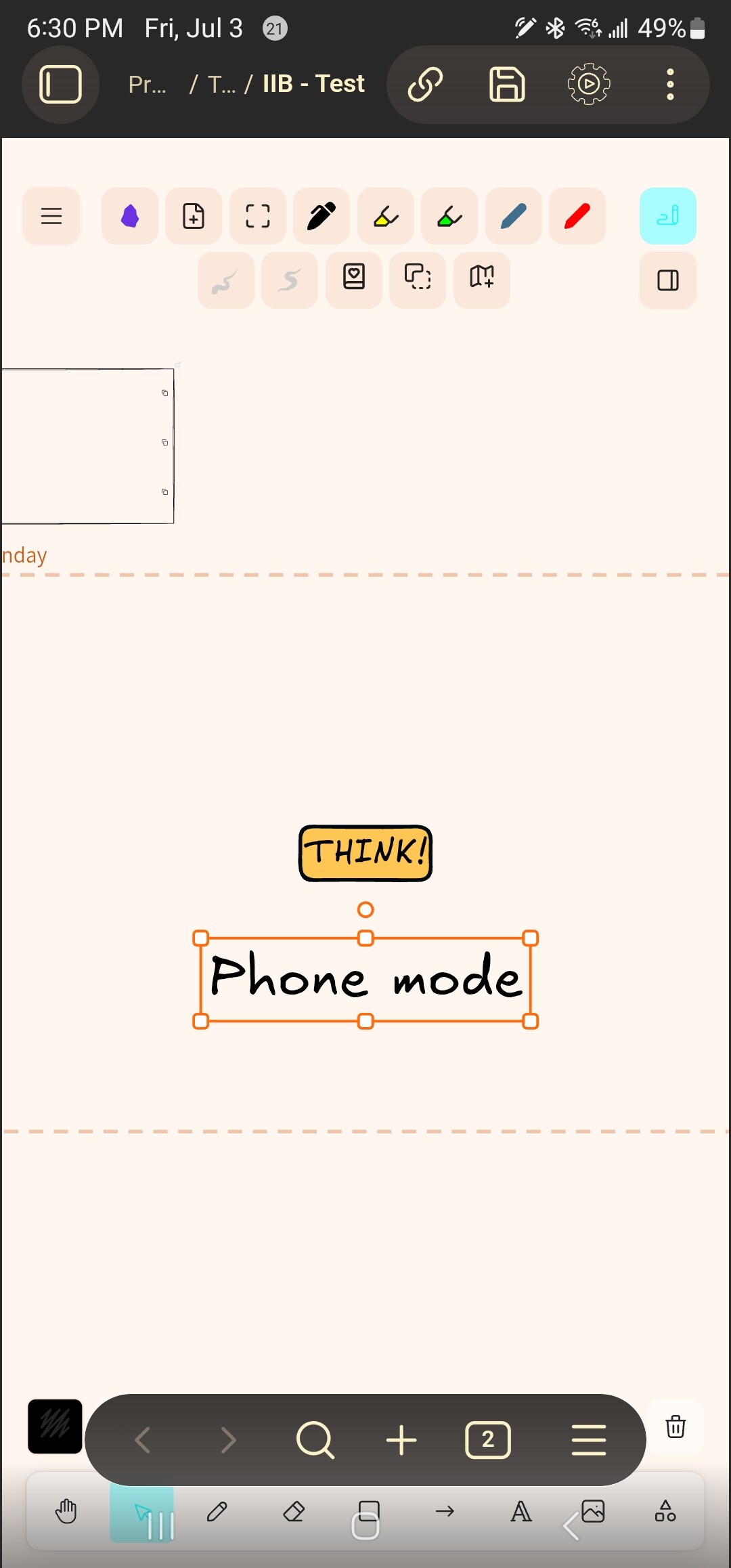
@Zsolt The script change may have caused a negative impact on the UI phone mode. See pictures. The Android navigation bar along the bottom and the Obsidian bottom navigation bar right above it block access to various Excalidraw menus, making those buttons unusable. Moving to compact (or other modes) improves access, but the Zoom controls and undo redo buttons remain blocked. See pictures.
Or better, switch your Android to gesture mode. Took me a few weeks to get use to it, but I don’t miss the buttons at all. The UI is cleaner and better.
This is a very minor update to fix a small regression in 2.25.0
Fixed
Excalidraw Automate Color Picker component used in Shade Master broke in 2.25.0. It is now restored.
New
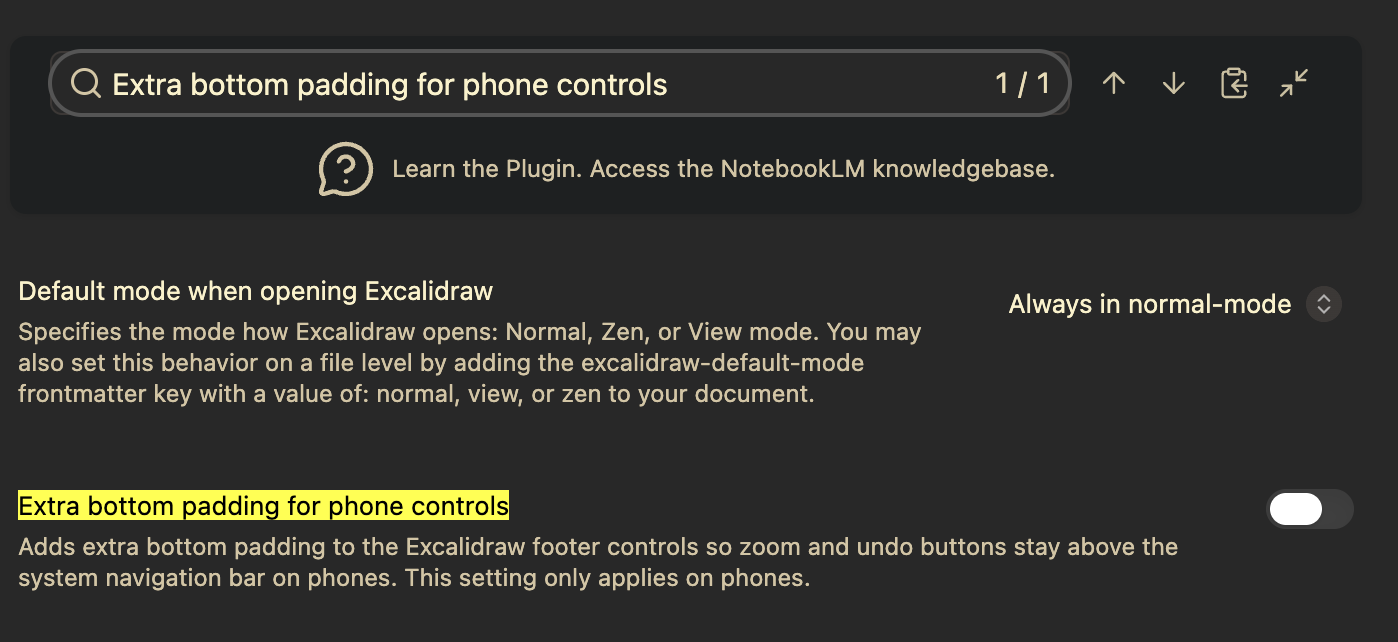
Separate setting to enable extra bottom padding for tablet controls. This is useful for tablets with a system navigation bar that overlaps the Excalidraw footer controls.
Added onSceneChangeHook to Excalidraw StartupScript template.
One more small maintenance release with a few important fixes.
I’m now shifting my focus to the SYM Community, where I’ll be experimenting with some exciting new Visual PKM ideas. I’ll also be taking a few weeks to recharge, so I don’t expect another Excalidraw update until August.
I hope these fixes make for a stable release. Have a great summer, and see you in the community!
Fixed
Fixed YouTube embeddables not rendering on Android devices.
Fixed custom pen settings not being saved correctly. Added Save and Cancel buttons to the Pen Settings page.
Fixed an error generating image IDs on mobile devices when uploading or pasting images into a scene.
Minor maintenance release with two important fixes.
Fixed
Fixed custom pens with shared Perfect Freehand settings both appearing selected in the toolbar at the same time. #2828
Fixed a startup issue where the plugin could fail to load. Toggling Dynamic Styling off and back on served as a workaround. Added additional safety checks to prevent this crash. #2819
New in ExcalidrawAutomate
Added ea.getCM6() to expose CodeMirror 6 classes and functions (such as EditorView and EditorState) to the ScriptEngine environment.
Added ea.getMathEditorExtensions() to expose Excalidraw’s preconfigured LaTeX editor extensions, enabling native integration with obsidian-latex-suite in custom side panel scripts.
These changes are paving the way for some new and exciting side panel scripts. I have big hopes that @TravisLEBLANC will do magic with an upcoming ExcaliMath script.
 @Jmarcos13 via #2822