Wu Xing — current specification
Purpose: Explore the current note and its immediate relationships through five configurable categories, arranged as a cycle. The view helps reveal how notes are distributed across different phases of thinking or work.
The central UX idea is simple: navigate to a note, see its immediate knowledge neighborhood distributed across five meaningful phases, and notice which kinds of thinking are represented or missing locally.
1. Visual layout
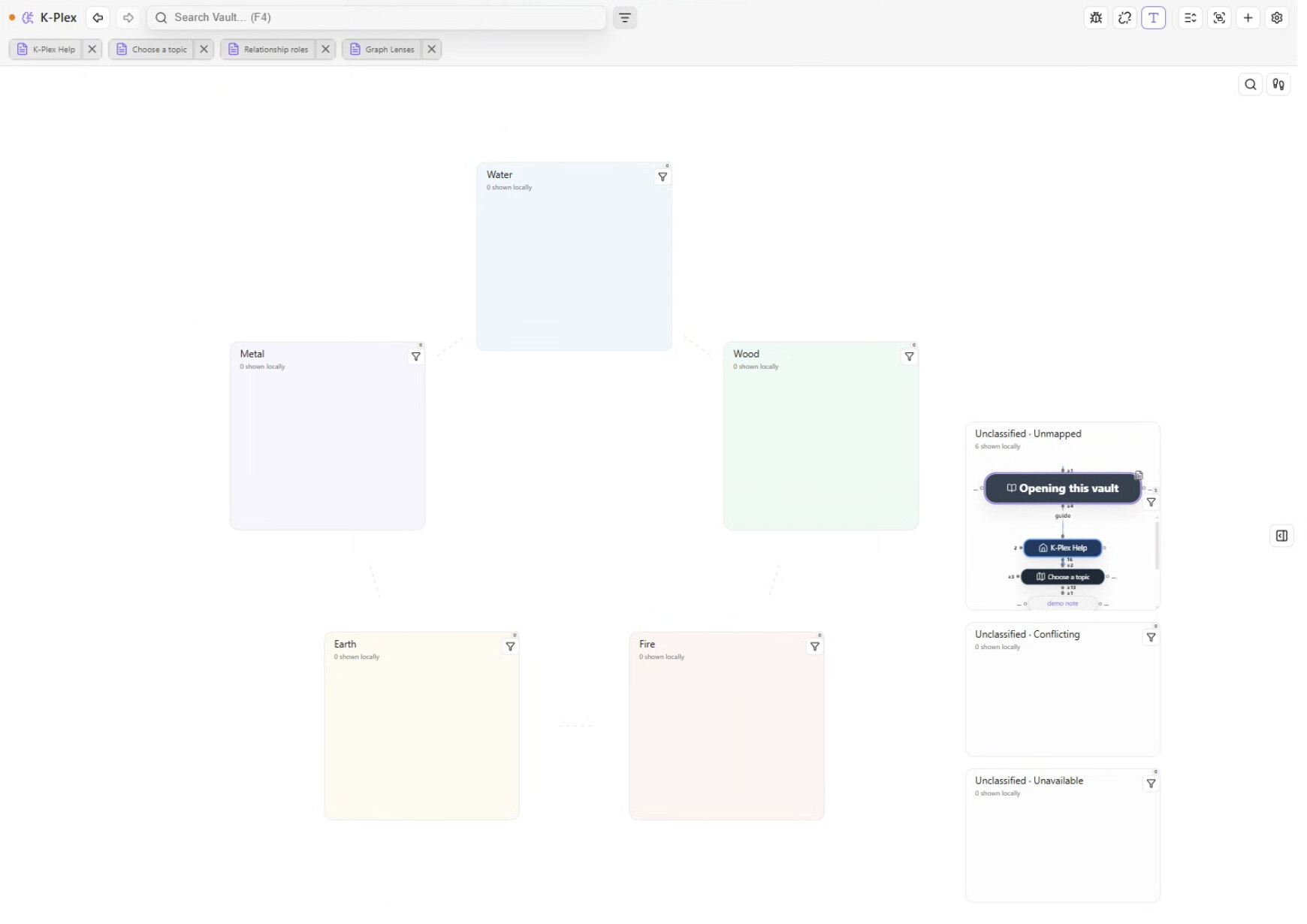
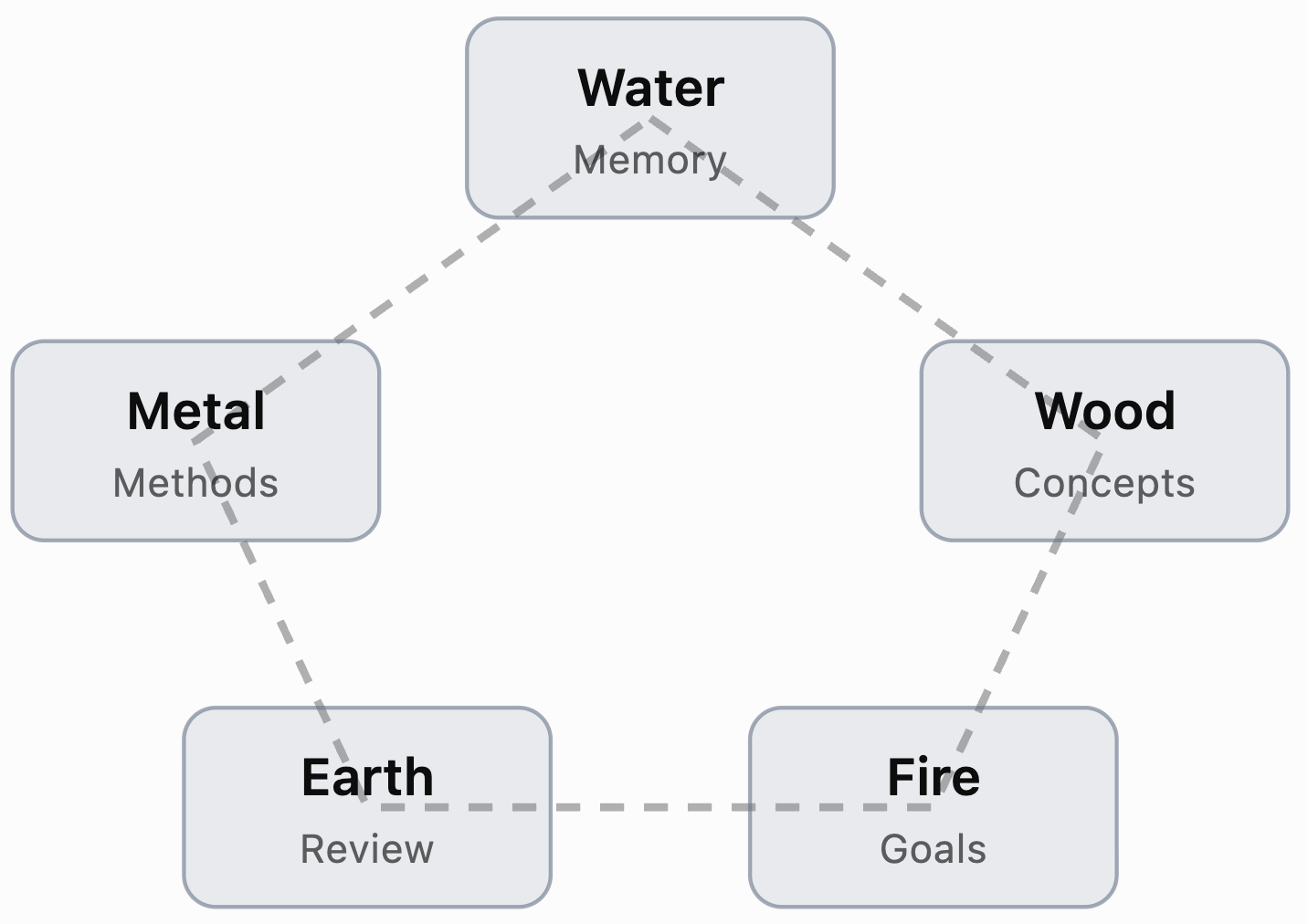
Five regions arranged around a pentagon, connected by a subtle circular guide:
Conceptual cycle — the workflow interpretations are illustrative, not fixed labels.
Every region remains visible, even when it contains no notes. Unclassified notes appear in additional regions outside the cycle.
2. Which notes are displayed?
The view shows:
- The current note.
- Its direct parents, children, friends, previous and next relationships.
- Each note once, even if connected in multiple ways.
It uses the existing K-Plex index. It does not scan the whole vault or automatically include grandchildren.
3. How are notes assigned to phases?
By default, the note’s phase property determines its region.
For example:
---
phase: water
---
This places the note in Water.
Each phase has configurable matching values. Instead of the Markdown property, you can choose note type or tags as the classification source.
- One matching phase: display there.
- No match: Unclassified.
- Multiple different matches: Conflicting.
- Metadata unavailable: Unavailable.
The implementation distinguishes those last three cases rather than guessing.
4. Navigation and editing
- The current note appears inside its assigned phase, highlighted, and can expand into the existing native editor.
- Activating another note changes the current note and rebuilds the local neighborhood around it.
- The five phase positions remain structurally fixed.
- The editor follows the current note, unlike Mind Map’s planned independently expandable editors.
- Different K-Plex canvases can simultaneously show different views.
5. Relationships and interactions
Actual K-Plex relationships are drawn between notes, preserving their semantic meaning and physical gates.
The pentagon’s cycle lines are visual guides, not relationships. Dragging into a phase does not change a note’s category or create a link.
Existing lenses, filtering, grouping, Find, keyboard navigation, themes and Sidecar are reused.
6. Settings
Under Settings → K-Plex → Canvas behavior → Views → Wu Xing, users can configure classification source, property name, phase labels and matching values, phase ordering and starting position, spacing, region dimensions, tints and cycle guides.
These settings are shared across Wu Xing canvases. Their active notes, cameras and selected views remain independent.